Shared apartments collect keys fast: a roommate's partner, a friend who waters the plants, parents visiting for a week, a cleaner every other Friday. Each copy is one more key out in the world that nobody keeps track of. The building's mailbox and garage keys tend to multiply the same way.
A smart lock replaces all of that with codes, one per person. When a roommate moves out or a visit ends, that person's code is deleted and nothing else changes. On a connected lock you can also see which code opened the door and when, which settles most of the arguments about who left it unlocked.
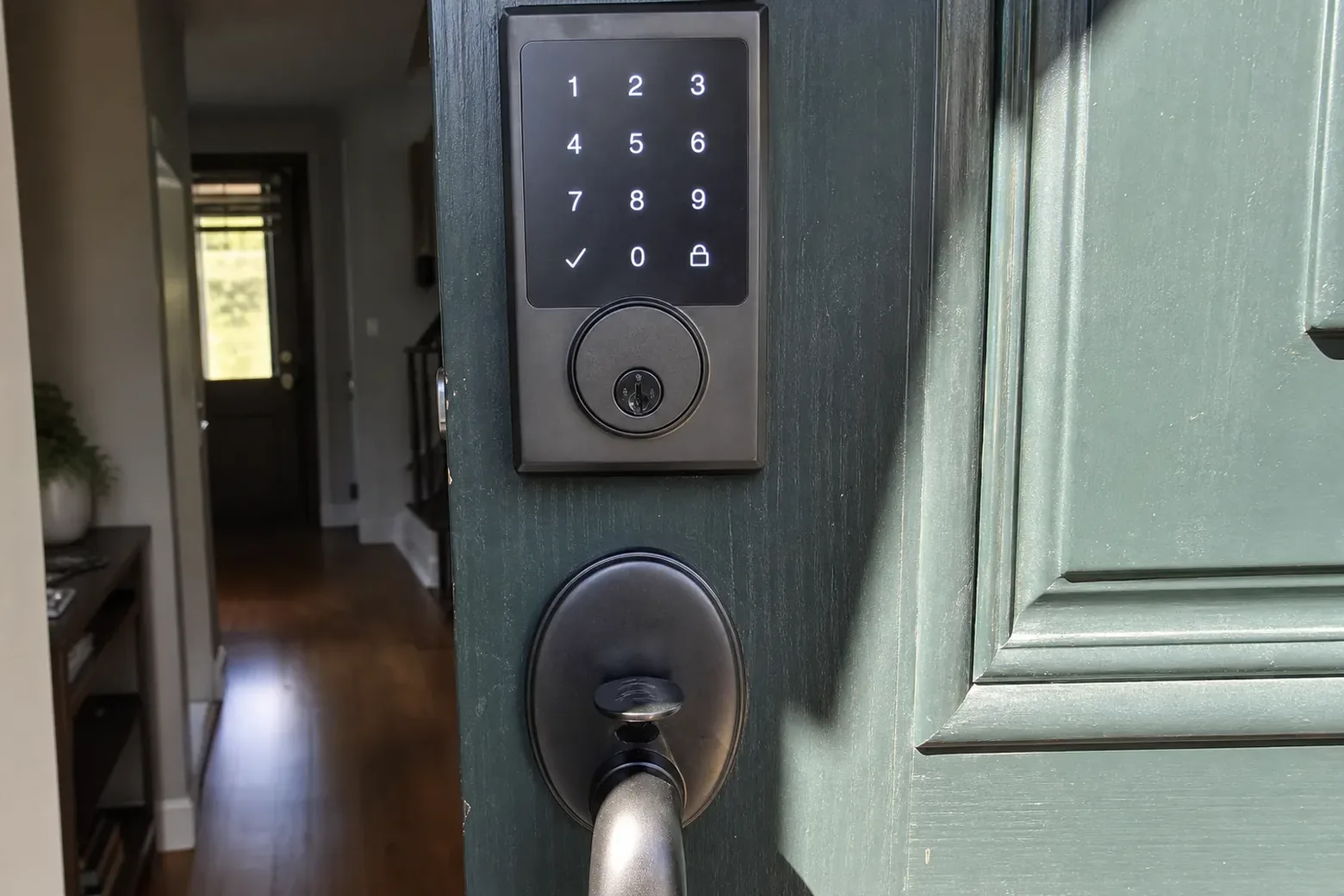
A stand-alone keypad deadbolt is the simplest: codes are stored in the lock, there is no app to install, and it works the same whether or not the internet does.
A connected lock adds an app and, through Bluetooth or Wi-Fi, lets you lock up from your desk, send a code to a guest, and get a notice when someone comes home. Wi-Fi is built into some models; others use a small bridge plugged in near the door.
For renters, the most useful option is often an inside-only retrofit. It replaces just the interior half of the existing deadbolt, so the outside of the door and the landlord's key stay exactly as they were, and the original part goes back on when you move out.
Most homes here are apartments and condos, so the first question is usually whose door it is. In a rental, a smart lock goes in with the landlord's or manager's OK, ideally in writing, and the usual arrangement is that the original hardware is kept and reinstalled at move-out. Photos of the original hardware, and a bag with every screw that came off, make that later swap quick.
In a condo, the unit door is generally yours, while the lobby, the garage gate and any building access system belong to the association. A lock on your unit door that keeps a key cylinder makes it easy to give building management emergency access if the rules ask for it.
Usually one visit.
How the bolt throws, how thick the door is, and what holes are already drilled.
Keypad, connected lock or an inside-only retrofit, matched to the door and the lease.
The strike is set so the motor slides the bolt home without strain.
The owner account on your phone, a master code, guest codes, and the backup key handed over.
Mid-century houses, the Eichler tracts included, were built around glass: walls of it, sliders opening onto atriums and yards, and an entry door that is sometimes narrower or thinner than what modern locks expect. A smart deadbolt can usually go on that entry door, but the door is measured first, and an adapter or some prep may be part of the job.
Sliders are a separate matter. Their locks live inside the frame and can't take a keypad deadbolt, so a house with several sliders gets secondary locks on those, and the smart lock goes on the solid door the family actually uses.
Plenty of households here already run lights, cameras and thermostats from an app or a home hub, and many connected locks can join that setup. Compatibility depends on the lock and the system, so say what you use when you call and the technician brings locks that work with it.
Whatever you choose, keep one owner account for the lock and add everyone else as a user, not as a second owner. Turn on two-step sign-in for that account. A lock is only as private as the account that controls it, and a guest who is a user can be removed with one tap.
A smart lock left behind by the last tenant or owner can still hold their codes, their phone as an owner, and a guest list nobody remembers making. Until all of that is cleared, the lock answers to people who no longer live there.
On a move-in visit, the technician signs the lock over to your account, sets a new master code and removes every old user. If nobody can produce the previous admin details, the lock goes back to its factory state and is set up from scratch, and the key cylinder behind it can be rekeyed so the old physical keys stop working as well.
Smart locks run on batteries, not the house wiring, so a power outage doesn't affect them, and the mild weather here is easy on batteries. The lock still warns you, by a light or an app notice, well before they run low.
If the internet goes down, the keypad and Bluetooth keep working; only the remote features pause. And every lock installed keeps a backup, usually a key cylinder, so a dead phone or a forgotten code never leaves you on the wrong side of the door.
A sensible habit is to change the batteries once a year on a date you'll remember, rather than waiting for the warning, and to keep the backup key somewhere other than the inside of the apartment.
With the landlord's or manager's OK. An inside-only retrofit is the easiest to approve, because the outside of the door and the landlord's key stay the same.
Many connected locks do, but it depends on the lock and the system. Tell us what you use when you call, and the technician brings options that are compatible.
Yes. Nearly every lock installed keeps a key cylinder or another backup, and that key goes on your ring.
The keypad code still works, and so does the backup key. The app is a convenience, not the only way in.
On a connected lock, yes: the app shows which code or user unlocked the door and when. A stand-alone keypad doesn't keep that history.
The original lock goes back on and the smart lock comes with you. Keeping the original parts safe from day one makes that a short job.
Yes. The door is measured, the lock choices are walked through, and the free estimate comes first; nothing goes on the door until you say so.
Tell us your street and we send a tech.